
Features
Indicator Settings
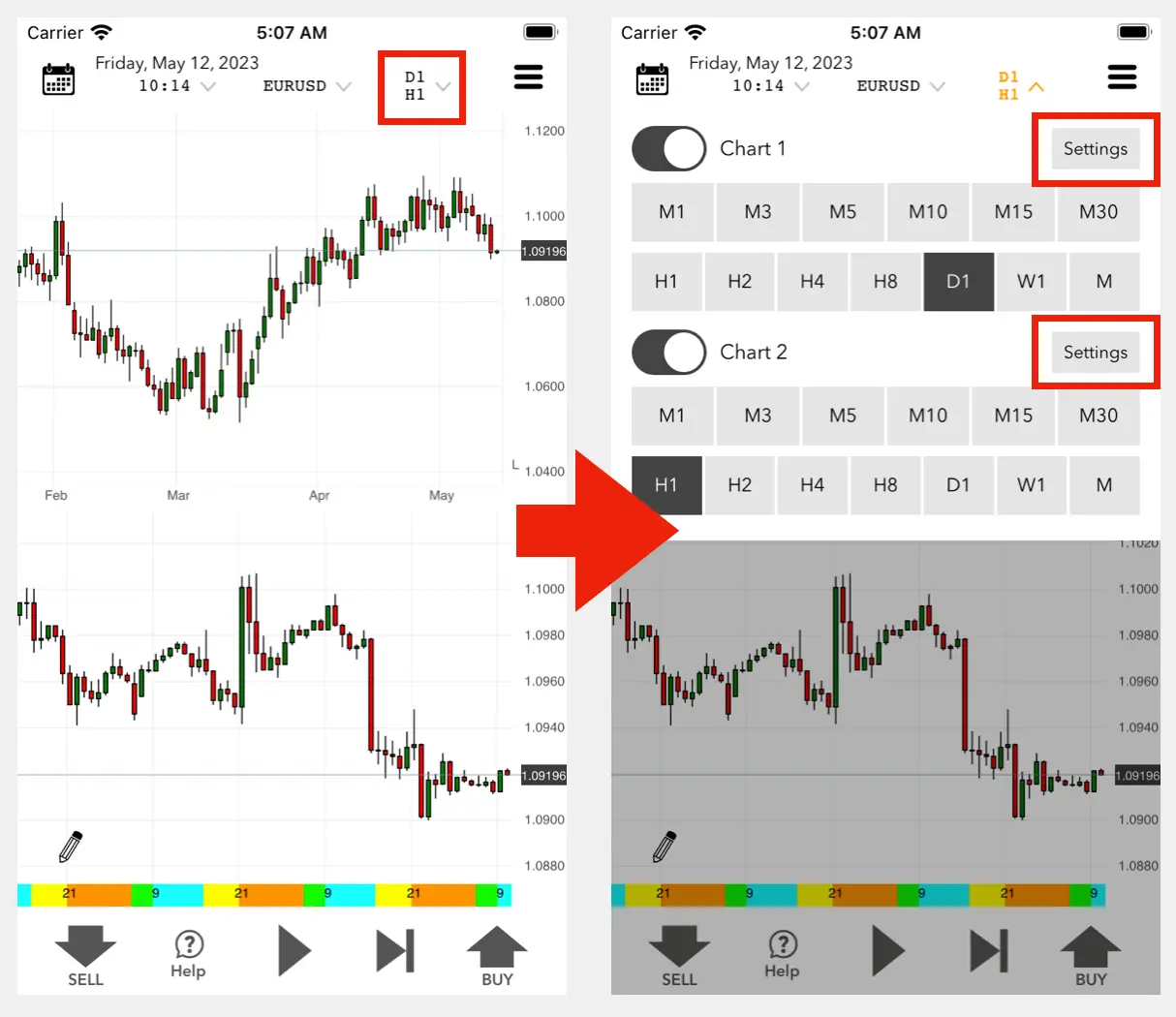
- Tap the time frame notation in the chart screen header to display the menu.
- Press the "Settings" button to display the indicator settings screen.
Date & Time Navigation
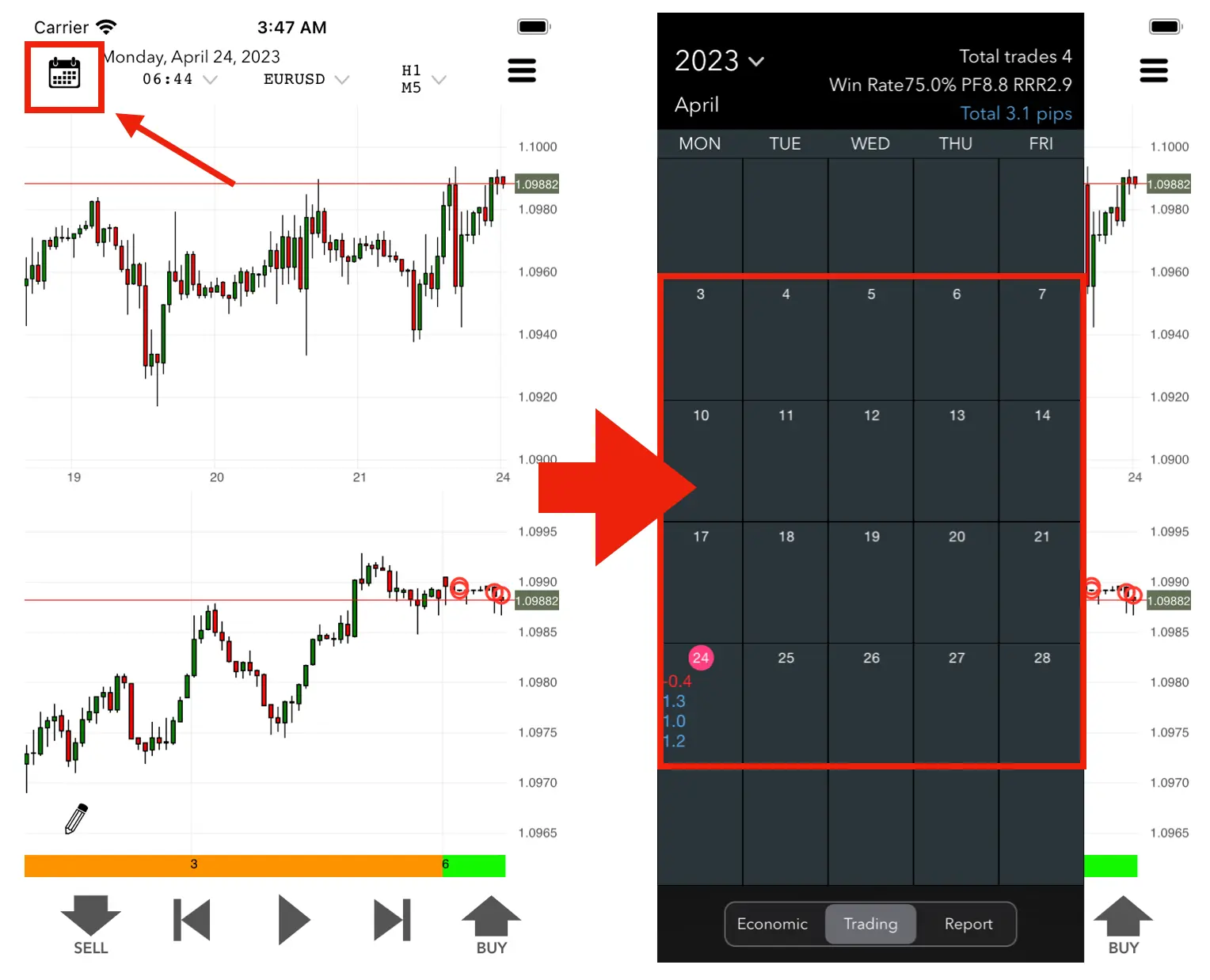
Tap the calendar button in the top left or double-tap the chart to navigate to a specific date.
Drawing Tools
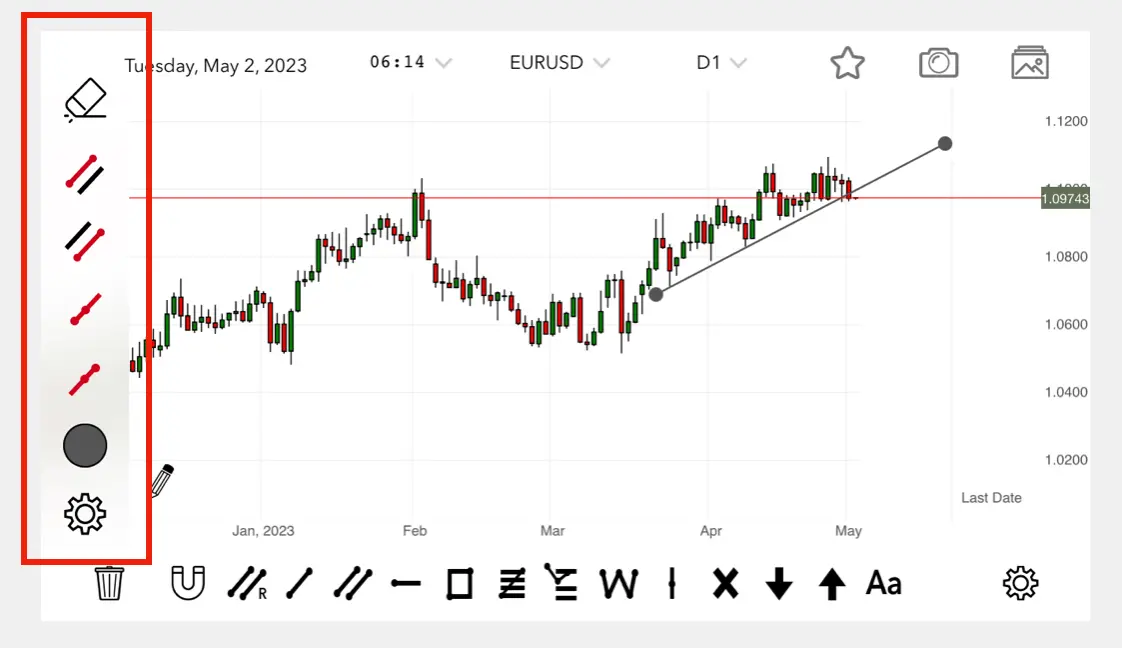
Press the pencil button to enter drawing mode. You can draw trendlines, horizontal lines, and polylines.
Market Orders
Place an entry instantly by pressing the Buy or Sell button.
Stop & Limit Orders
- Stop Orders: Long-press the entry button to add a stop line.
- Limit Orders: Use horizontal lines to set entry levels.
Tip: In Fixed Risk Mode, the lot size is automatically adjusted when you move your stop loss.
Data Sheet
Navigate to the data sheet list by pressing the "Detail" button in the top right.
- Summary: View aggregated graphs of all trades.
- Trading History (History on iPhone): List and edit your previous entries.
- Bookmark (Marks on iPhone): Access saved comments and screenshots.
Export to CSV
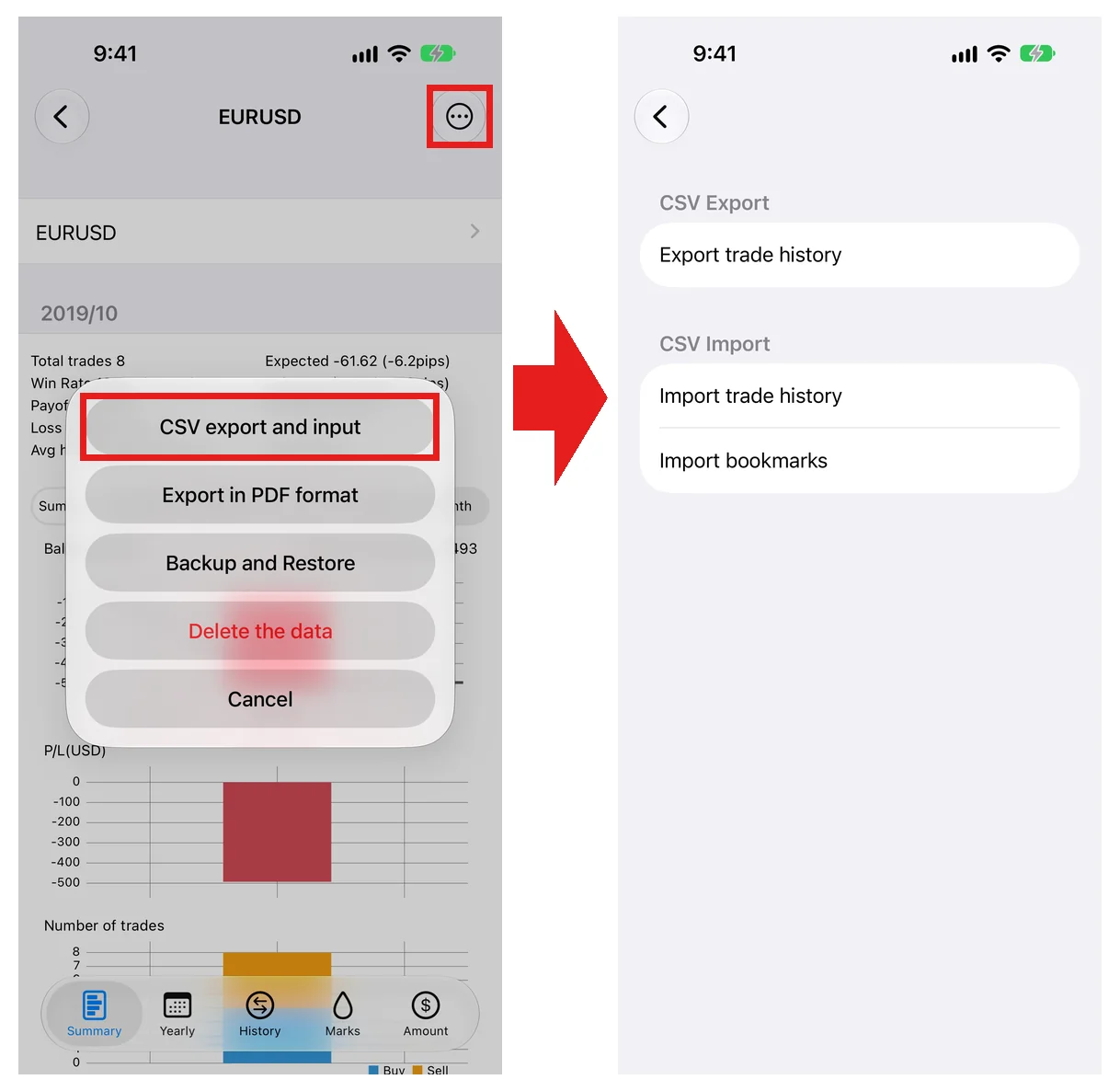
You can export your trading history and bookmarks as a ZIP file containing CSVs from the Details screen.
Other Features
For other features and step-by-step instructions, see the App Operation Guide.
App Operation Guide